
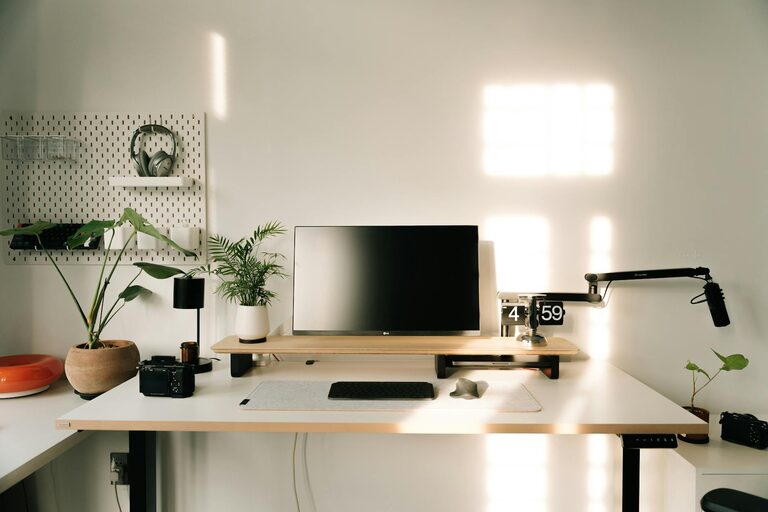
Creating a productive home office space is essential for anyone working remotely or needing a dedicated spot for tasks outside traditional office hours. A well-thought-out workspace can improve your focus, reduce distractions, and make your workday more enjoyable. Here, we share practical tips to help you set up a home office that supports efficiency and comfort.
Choose the Right Location
Consider Natural Light and Quietude
Selecting the ideal spot in your home is the first step. Look for a space with plenty of natural light, which can help improve mood and reduce eye strain. Ideally, this area should be quiet and away from high-traffic parts of your home to limit disturbances.
Think About Privacy and Boundaries
If you share your living space, try to choose a location where you can establish clear boundaries between work and personal life. This can enhance focus during work hours and help you switch off afterward.
Invest in Comfortable and Functional Furniture
Ergonomic Chair and Desk
Spending hours at your desk requires furniture that supports good posture. An ergonomic chair with adjustable height, lumbar support, and comfortable cushioning is a worthwhile investment. Pair this with a desk that suits your height and provides enough space for your equipment and organisation tools.
Consider Desk Accessories
Items such as keyboard trays, monitor stands, or footrests can significantly improve comfort. Organising gadgets like cable management systems keep your workspace neat and prevent distractions.
Organise Your Space for Efficiency
Declutter Regularly
A tidy workspace helps maintain concentration. Keep only what you need on your desk. Use drawers or storage boxes to store papers, stationery, and other essentials out of sight.
Use Organisers and Filing Systems
Implement trays, folders, and filing cabinets to categorise documents and supplies. Label everything clearly so you can find items quickly, reducing wasted time searching for materials.
Optimise Lighting
Balance Natural and Artificial Light
Natural daylight is best during working hours, but depending on your room’s layout, you may need additional lighting. Use adjustable desk lamps to provide focused light and reduce glare on screens.
Choose the Right Bulbs
Opt for bulbs that emit a soft white or daylight colour temperature to mimic natural light. Avoid overly harsh or dim lighting, which can cause eye strain and fatigue.
Minimise Distractions
Set Boundaries with Others
Communicate your work schedule with family or housemates to minimise interruptions. Using a “do not disturb” sign or working in a separate room can signal when you need focus time.
Limit Digital Distractions
Close unnecessary browser tabs and apps, and consider apps or browser extensions that block distracting websites during work hours. Turning off non-essential notifications can also help maintain concentration.
Personalise Your Work Environment
Add Elements that Inspire You
Incorporate items like plants, artwork, or photos that make the space welcoming but not overwhelming. Plants, for instance, can improve air quality and add a touch of nature.
Use Colours Wisely
Choose colours for your walls or accessories that promote productivity and calm. Soft blues, greens, and neutral shades often work well to create a peaceful atmosphere.
Pay Attention to Technology and Connectivity
Reliable Internet Connection
A strong and stable internet connection is crucial for remote work. Consider upgrading your router or using a wired connection if Wi-Fi signals are weak in your chosen spot.
Set Up Necessary Equipment
Ensure you have the tools you need, such as a good quality headset, webcam, printer, or additional monitors. Test these regularly to avoid technical disruptions.
Establish a Routine and Work Habits
Set Working Hours
Create a schedule that mirrors typical working hours to help maintain discipline. Include regular breaks to stretch and recharge.
Keep Your Workspace for Work Only
Resist the temptation to use your home office for leisure activities. This separation will help your brain associate the space with productivity.
Maintain Your Workspace Over Time
Regular Cleaning
Dust and clean your workspace weekly to maintain a fresh and pleasant environment. This also prolongs the life of equipment and furniture.
Review and Adapt Your Setup
Periodically assess your office arrangement. As your work needs change, be willing to reorganise or upgrade your space to stay productive.
—
Setting up a productive home office space involves thought and planning, but the rewards in comfort and efficiency are well worth the effort. By choosing the right location, investing in ergonomic furniture, organising your workspace effectively, and developing good habits, you can create a work environment that supports your best performance every day.