Creating a productive home office environment is essential for anyone working remotely or managing tasks from home. With the right setup, you can improve your focus, reduce stress, and make your workday more enjoyable and efficient. Here, we explore key tips to help you design a home office that supports your productivity without sacrificing comfort.
Choose the Right Space for Your Home Office
Find a Dedicated Area
Ideally, select a quiet corner or a spare room where you can work consistently without distractions. A dedicated space helps your mind associate that area with work, reinforcing concentration and routine.
Consider Natural Light
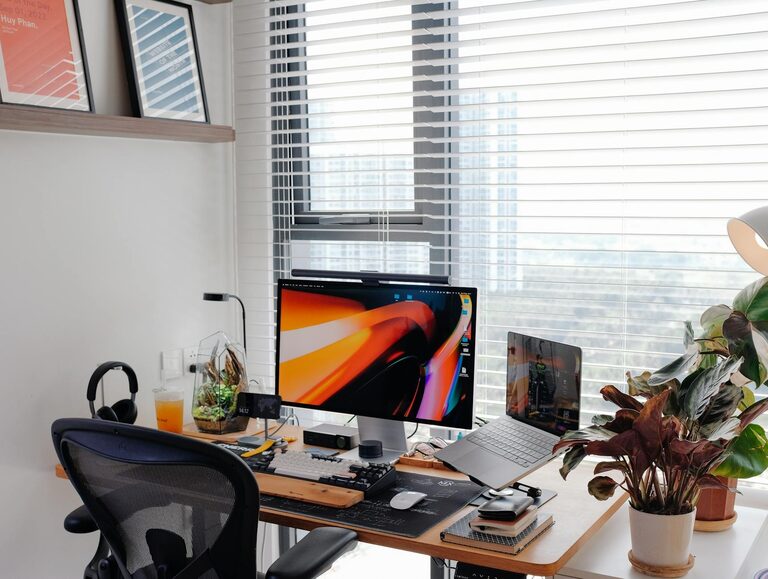
Position your workspace near a window if possible. Natural light boosts mood and helps regulate sleep patterns, which in turn can improve your daytime energy and alertness. If natural light is limited, invest in bright, adjustable desk lighting that mimics daylight to reduce eye strain.
Invest in Ergonomic Furniture
Comfortable Chair
Invest in a quality office chair that supports good posture. Look for adjustable features like seat height, backrest tilt, and lumbar support to prevent back pain during long hours.
Suitable Desk
Choose a desk with enough surface area to comfortably hold your computer, notebook, and other essentials. Height-adjustable desks that allow you to alternate between sitting and standing have become popular for promoting movement and reducing fatigue.
Organise for Efficiency
Keep frequently used items within arm’s reach to minimise distractions from getting up repeatedly. Use desk organisers, shelves, or drawers to keep the workspace tidy and clutter-free.
Minimise Distractions and Maximise Focus
Establish Boundaries
If you live with others, communicate your work hours and the importance of a quiet environment during these times. Consider using noise-cancelling headphones to block out household sounds.
Use Technology Wisely
Limit notifications from social media and non-work-related apps during work hours. Many devices now have “focus modes” that restrict interruptions and help maintain concentration.
Background Sounds
Some people find playing gentle background music, white noise, or ambient sounds helpful for focus. Experiment to see what works best for you.
Optimise Your Technology Setup
Reliable Internet Connection
Ensure you have a stable and fast internet connection, particularly for video calls or uploading/downloading large files. If possible, use a wired connection for enhanced reliability.
Quality Equipment
Invest in a good monitor or dual screens to make multitasking easier and reduce eye strain. A separate keyboard and mouse can also improve ergonomics over laptop use alone.
Backup Solutions
Regularly back up your work to avoid data loss. Use cloud storage services or external drives as part of your routine.
Personalise Your Workspace
Add Personal Touches
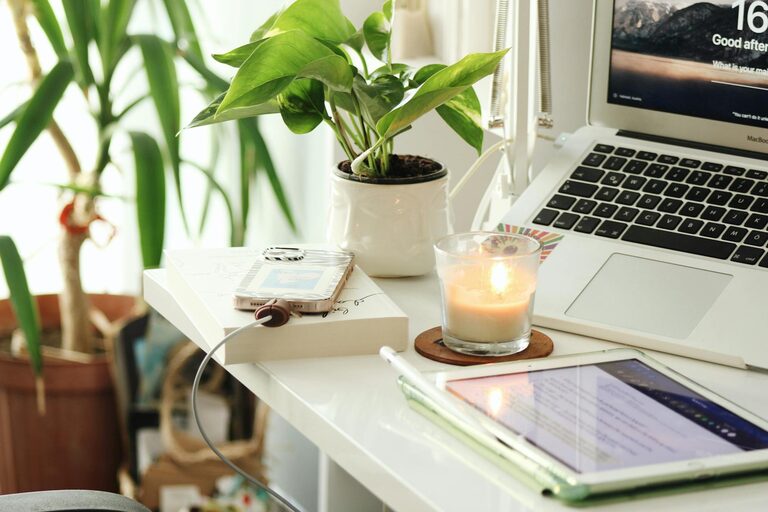
Incorporate items that make you feel positive and motivated—such as photos, plants, or artwork. Plants not only beautify the space but can also improve air quality and reduce stress.
Keep It Clutter-Free
Remove unnecessary clutter from your desk and surroundings. A clean, minimal workspace helps reduce distractions and promotes clarity.
Maintain Healthy Work Habits
Take Regular Breaks
The Pomodoro technique—working for 25 minutes and then taking a 5-minute break—is popular for maintaining productivity. Movement during breaks helps circulation and refreshes the mind.
Stay Hydrated and Nourished
Keep water nearby and remember to drink regularly. Healthy snacks can prevent energy dips during prolonged tasks.
Stretch and Move
Incorporate stretches or short walks into your day to alleviate muscle tension and boost circulation.
Plan and Prioritise Your Tasks
Daily To-Do Lists
Starting each day by writing a to-do list helps clarify priorities and provides a sense of achievement as you tick off completed tasks.
Use Digital Tools
Apps like calendars, task managers, or project collaboration tools can help you stay organised and on schedule.
Ending the Workday
Set a Clear Finish Time
Establish a consistent time to end work for the day to maintain work-life balance. Clear boundaries prevent burnout and help you unwind.
Tidy Up Before Leaving
Spend a few minutes organising your desk and setting up for the next day. This practice improves readiness and starts each workday with a clear mind.
—
Creating a productive home office environment is a blend of practical setup, healthy habits, and personal touches. By designing your space thoughtfully and establishing routines, you can enjoy the benefits of working from home while maintaining productivity and wellbeing.